

BrightLocal vs Yoast Local SEO: What Each Tool Is Actually For — and Why UK Businesses Need More Than Either One Provides
The honest answer to “BrightLocal vs Yoast Local SEO” is that you’re comparing two products that barely overlap. It’s a bit like asking whether you need a spanner or a spirit level—both useful, entirely different jobs, and neither builds the house on its own.
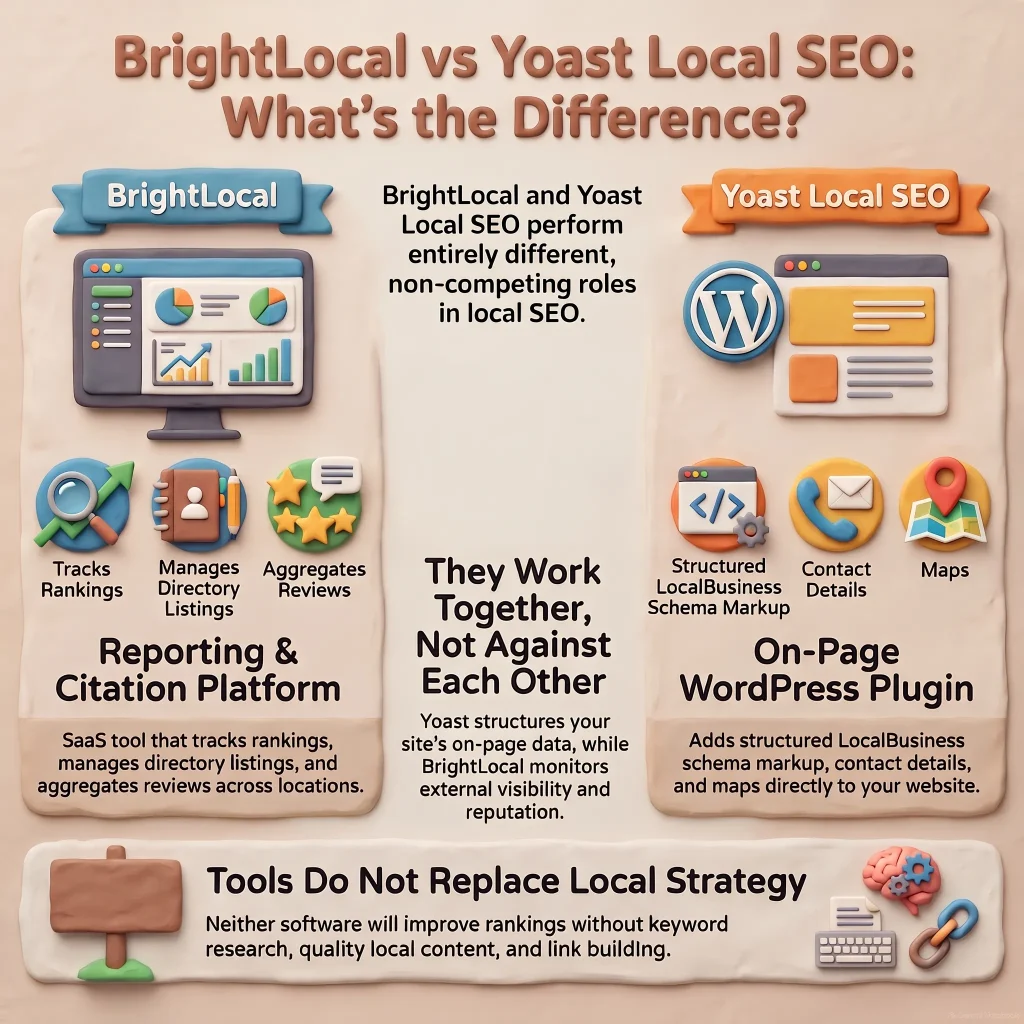
BrightLocal is a reporting and citation management platform. Yoast Local SEO is a WordPress plugin that adds schema markup and contact details to your site. Neither is a local SEO strategy. Neither will rank you higher without the work that sits around them.
If you’re a UK business owner trying to work out which tool to buy, the more useful question is: what are you actually trying to fix, and do you have the strategy and capacity to use either properly?
What BrightLocal Actually Does (and Who It’s For)
BrightLocal is a software-as-a-service platform aimed at agencies and in-house teams managing local SEO at scale. It doesn’t optimise anything on your website. What it does is:
- Monitor your Google Business Profile rankings across locations and keywords
- Track and manage citations (your business name, address, and phone number listed across UK directories like Yell, Thomson Local, Yelp UK, and others)
- Aggregate reviews from Google, Facebook, and other platforms into one dashboard
- Generate white-label reports for clients or stakeholders
It’s built for reporting, monitoring, and managing reputation—not for fixing on-page SEO, building links, or creating content.
What BrightLocal does well for UK businesses specifically
BrightLocal includes a solid list of UK-specific directories in its citation builder, which matters if you’re targeting British customers. It recognises that Scoot, Hotfrog UK, and 192.com aren’t global directories but are still citation sources Google may cross-reference.
The review monitoring works across UK versions of Google and Facebook, so you’re not paying for data pulled from .com domains that don’t reflect what your customers actually see.
If you’re an agency managing five, ten, or fifty local clients, BrightLocal saves hours. If you’re a single-location business with one Google Business Profile and a handful of directory listings, it’s expensive overkill—you’re paying £29–£89/month for dashboards you could replicate with a spreadsheet and a monthly calendar reminder.
What BrightLocal doesn’t do
It won’t write your Google Business Profile description, optimise your website for local intent, or build links from local news sites. It won’t audit why your rankings dropped or diagnose technical SEO problems. It shows you the data. You still need to know what to do with it.
What Yoast Local SEO Actually Does (and Who It’s For)
Yoast Local SEO is a WordPress plugin—a paid extension to the free Yoast SEO plugin. It’s designed to help local businesses add structured data (schema markup) and consistent contact details across their website.
Specifically, it:
- Adds LocalBusiness schema to your site so search engines understand you’re a physical location
- Displays opening hours, address, and contact details in a widget or shortcode
- Integrates with Google Maps to embed a map on your contact page
- Supports multiple locations if you have more than one branch
It’s an on-page optimisation helper, not a monitoring or reporting tool.
What Yoast Local SEO does well for UK businesses specifically
WordPress powers roughly 40% of UK small business websites, so Yoast Local SEO slots into an existing ecosystem most UK SMEs already use. It’s a one-time purchase (or low annual subscription depending on licensing), not a recurring SaaS fee.
The schema markup it generates is clean and follows Google’s structured data guidelines. If you’re a plumber in Nottingham or a solicitor in Bristol with a WordPress site, it’s a straightforward way to tell Google you’re a local business without hiring a developer.
It also supports UK address formats properly—postcode goes on its own line, county is optional, and it won’t default to “State” or “ZIP” like some American-built plugins do.
What Yoast Local SEO doesn’t do
It won’t monitor your rankings. It won’t build citations. It won’t track reviews or alert you when someone leaves a one-star comment on Google. It won’t fix duplicate Google Business Profiles or diagnose why you’re not showing up in the Local Pack.
It adds markup to your site. That’s valuable, but it’s table stakes—not a competitive advantage on its own.

Head-to-Head: When You’d Use One, the Other, Both, or Neither
| What You’re Trying to Solve | BrightLocal | Yoast Local SEO |
| Add schema markup to a WordPress site | No | Yes |
| Track local rankings over time | Yes | No |
| Build and manage UK directory citations | Yes | No |
| Display opening hours on your website | No | Yes |
| Monitor Google reviews in one dashboard | Yes | No |
| Optimise on-page content for local keywords | No | No |
| Generate reports for stakeholders | Yes | No |
| Support multiple locations | Both—but different purposes | Both—but different purposes |
If you’re a single-location business with a WordPress site, Yoast Local SEO is the obvious starting point. It’s low-cost, solves a specific on-page problem, and doesn’t require ongoing management.
If you’re an agency or multi-location business managing citations, reviews, and reporting across several clients or branches, BrightLocal justifies its cost.
If you’re a UK SME owner trying to improve local visibility, you probably need neither tool first. You need a strategy: keyword research, content that matches local intent, a properly optimised Google Business Profile, and links from locally relevant sources. The tools come after the strategy is clear.
Why Most UK Businesses Need the Layer Above the Tools
Here’s the uncomfortable truth: buying BrightLocal won’t improve your rankings if your citations are already consistent and your Google Business Profile is well-managed. Installing Yoast Local SEO won’t help if your content doesn’t target the right keywords or your site has technical issues Google can’t crawl.
Tools amplify good work. They don’t replace it.
The businesses that get ROI from local SEO—whether they use BrightLocal, Yoast, both, or neither—are the ones who:
- Know which keywords their customers actually search (not what they assume)
- Have content that answers local intent (not generic service pages copied from competitors)
- Manage their Google Business Profile consistently (posts, photos, responses to reviews)
- Earn links from locally relevant sources (news sites, trade bodies, local bloggers)
- Monitor what’s working and adjust (not set-and-forget)
That’s strategy, not software.
An agency with 25 years of experience knows which tool solves which problem—and, more importantly, when the problem isn’t a missing tool but a missing plan.

Frequently Asked Questions
Q: Can I use BrightLocal and Yoast Local SEO together?
A: Yes, and many agencies do. Yoast handles on-page schema and contact details on your WordPress site; BrightLocal manages citations, reviews, and reporting. They’re complementary, not competing.
Q: Do I need BrightLocal if I only have one location?
A: Probably not. BrightLocal’s pricing and feature set are built for agencies or businesses managing multiple clients or locations. A single-location business can manage citations and reviews manually or with lighter-weight (often free) tools until scale justifies the cost.
Q: Will Yoast Local SEO improve my rankings on its own?
A: No. It adds structured data that helps Google understand you’re a local business, but schema markup is a signal, not a ranking factor on its own. You still need relevant content, citations, reviews, and links to compete locally.
Q: Which tool is better for a UK business?
A: Neither is “better”—they solve different problems. If you’re on WordPress and need local schema, Yoast is the right fit. If you’re managing citations and reviews at scale, BrightLocal makes sense. Most UK SMEs need a strategy before they need either tool.
Q: Can these tools fix a suspended Google Business Profile?
A: No. Neither BrightLocal nor Yoast can reinstate a suspended profile or resolve duplicate listings. Those are manual, often time-consuming fixes that require understanding Google’s guidelines and, sometimes, direct appeals to Google support.
If you’re trying to decide between tools, the real question is whether you’ve got the strategy and capacity to use them properly. We’ve spent over 25 years helping UK businesses work out what actually moves the needle locally—and which tools (if any) are worth the investment for their specific situation. If you’d like a straight answer on what your business needs next, get in touch for a no-obligation local SEO audit.