
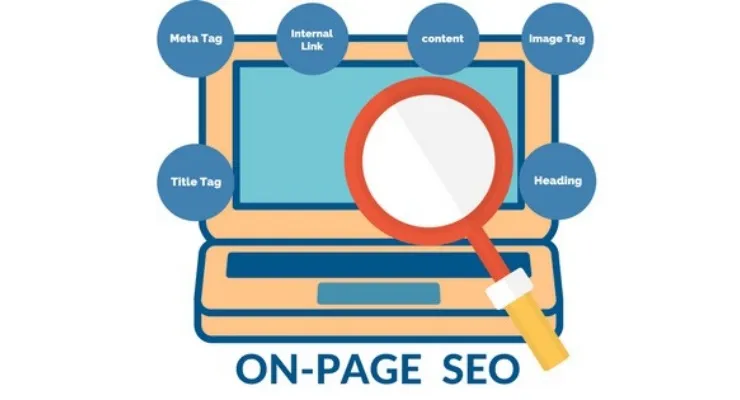
On-Page Optimisation: What It Actually Involves Beyond Meta Tags and Keywords
You’ve paid an agency to do your on-page SEO. They’ve rewritten your meta titles and descriptions. They’ve added H1 tags. They’ve sprinkled keywords through your headings. Job done, right?
Not even close.
That’s not on-page optimisation, that’s the warm-up. It’s what you do before the actual work begins. And if your agency stopped there (most do), you’ve got significant ranking opportunities sitting untouched on every page of your site.
Here’s what genuine on-page optimisation involves, and why most UK businesses have never actually had it done properly.
Your Content Probably Doesn’t Answer the Question Fully Enough
Google doesn’t rank pages that mention a topic. It ranks pages that cover it comprehensively enough to satisfy what someone searching actually needs.
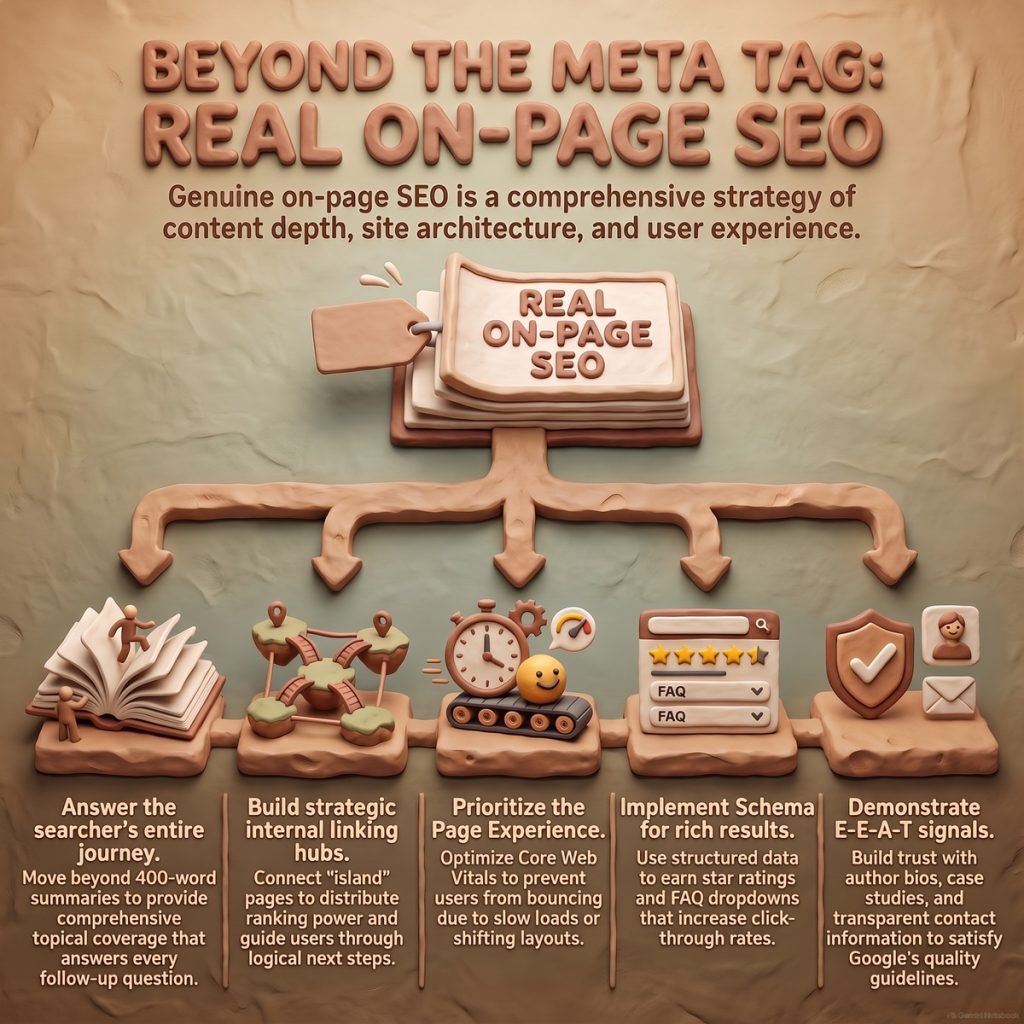
This is where most businesses fall short. You’ve written 400 words about “commercial conveyancing services” because that felt sufficient. But the pages ranking above you have covered the process timeline, the typical costs, what searches to expect, when you need a conveyancer versus a solicitor, and what happens if the chain breaks.
They haven’t just mentioned the topic, they’ve surrounded it with every question a searcher might reasonably ask next. That’s called topical coverage, and it’s one of the most underused ranking factors in UK SME websites.
The fix isn’t to stuff more keywords in. It’s to map what your audience actually wants to know at each stage of their journey, then structure your content to answer those questions in logical sequence. That means research: looking at what’s ranking, what people are asking on forums, what your sales team gets asked repeatedly.
If your on-page optimisation didn’t include a content gap analysis for each target page, it wasn’t finished.
Your Internal Links Are Doing Nothing for You
Most UK business websites have internal links. They’re just useless.
They link from the homepage to service pages, maybe from a blog post to a vaguely related page, and that’s about it. There’s no architecture. No flow of authority. No deliberate pathway guiding Google (or users) from broad topics to specific solutions.
Proper internal linking does three things:
1. Distributes ranking power from your stronger pages to the ones you’re trying to rank
2. Establishes topical relationships so Google understands which pages support which themes
3. Keeps users on site longer by creating logical next steps
This means linking from your cornerstone content (the big, detailed guides) to related service pages and supporting articles. It means using descriptive anchor text that signals relevance, not “click here” or “read more”. It means creating content hubs where everything about a topic links together coherently.
We regularly audit sites that have 50+ published pages and virtually no strategic internal linking. Every page is an island. That’s not an SEO strategy, it’s a missed opportunity on every single URL.
Page Experience Still Isn’t Sorted
“Page experience” is the polite term for whether your site is frustratingly slow, visually unstable, or a nightmare on mobile.
Google’s Core Web Vitals measure this directly: how fast your largest content loads (LCP), whether elements jump around whilst the page loads (CLS), and how quickly the page responds when someone clicks something (INP, which replaced FID in 2024).
Most UK business owners have no idea what their scores are. Their agency may have mentioned it once in 2021 when Core Web Vitals launched, then never followed up.
Here’s why it matters commercially: a page that loads slowly or shifts layout loses conversions before anyone reads your carefully optimised content. Google knows this. If two pages cover a topic equally well, the one that doesn’t frustrate users gets the ranking.
Common culprits we see:
- Oversized images that haven’t been compressed or converted to modern formats (WebP, AVIF)
- Render-blocking JavaScript from tracking scripts and chatbots
- No dimensions set on images, causing layout shift when they load
- Third-party embeds (Google Maps, social feeds) that tank performance
Fixing this isn’t always simple, but it’s measurable. You can test your pages at [PageSpeed Insights](https://pagespeed.web.dev/) right now and see exactly where you stand. If you’re in the red on any Core Web Vital, you’re leaving rankings on the table.
You’re Probably Not Using Structured Data (and Your Competitors Aren’t Either, Which Is Why You Should)
Structured data, schema markup, is code that tells Google exactly what’s on your page in a format it can read unambiguously.
It’s how you get:
- Star ratings in search results
- FAQ dropdowns that take up half the SERP
- Product pricing and availability shown directly
- Breadcrumb trails in your snippet
- Event details, opening hours, business info
Most UK SME sites have none of this. If they do, it’s often broken or incomplete.
Adding schema doesn’t directly boost rankings, but it absolutely affects click-through rate, and click-through rate influences rankings over time. A result that shows star ratings and an expanded FAQ gets more clicks than plain blue links. More clicks signal relevance. Relevance improves position.
The most useful types for UK businesses:
- LocalBusiness schema if you serve a geographic area
- FAQPage scheme for service or product pages with common questions
- Product schema for ecommerce (price, availability, reviews)
- HowTo schema for instructional content
- Review/AggregateRating schema if you have genuine testimonials
This should be part of on-page optimisation by default. It usually isn’t.
Content Quality Isn’t Subjective, Google Has Actual Criteria
Google employs thousands of quality raters who evaluate search results against published guidelines. These raters don’t directly determine rankings, but their assessments train the algorithm.
The guidelines aren’t secret. They’re [publicly available](https://guidelines.raterhub.com/), and they spell out exactly what Google considers high-quality content.
The key concept is E-E-A-T: Experience, Expertise, Authoritativeness, Trustworthiness.
For a UK business, this translates to:
- Experience: Does the content demonstrate first-hand knowledge? Case studies, specific examples, and original insight signal this.
- Expertise: Is the author or organisation credibly qualified to cover this topic?
- Authoritativeness: Is this page recognised as a go-to resource? (Measured partly through backlinks and mentions.)
- Trustworthiness: Is the information accurate, well-sourced, and transparent about who’s behind it?
Most business websites fail basic trust signals:
- No author bylines or “about the author” sections
- No clear company information or credentials
- Thin contact details
- No published date or last-updated timestamp
- No sources or references for factual claims
If your content reads like it could’ve been written by anyone, about any business, in any location, it’s not demonstrating E-E-A-T. And in competitive sectors, legal, financial, medical, home services, that’s a ranking penalty waiting to happen.
Your Images Aren’t Optimised (No, Not Just Compressed)
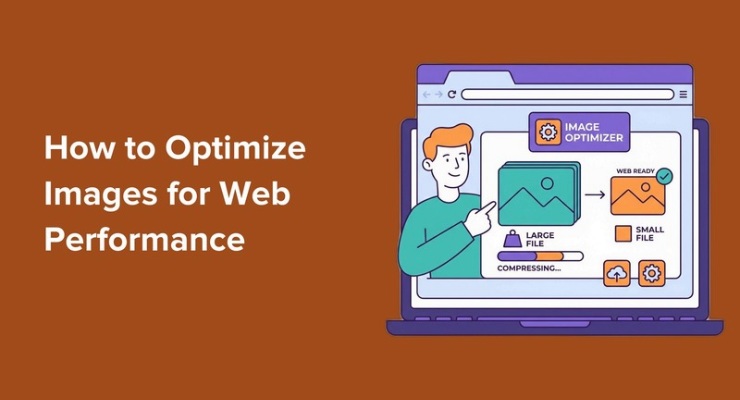
Everyone knows images should be compressed. Fewer businesses realise image optimisation for SEO involves:
- Descriptive file names (not IMG_4739.jpg)
- Alt text that describes what’s in the image for accessibility and context
- Relevant images that support the content topic, not generic stock photos
- Modern formats (WebP or AVIF instead of JPEG/PNG where supported)
- Correct dimensions so the browser doesn’t have to resize them
- Lazy loading for images below the fold
Google Images is a genuine traffic source for many UK businesses, particularly in visually driven sectors (interior design, food, retail, construction). If your images have no context, they won’t rank, and neither will the pages they’re on.
What Proper On-Page Optimisation Actually Looks Like
When we take on on-page optimisation for a client, here’s what’s involved:
1. Content audit and gap analysis, identify what’s missing or underdeveloped on each target page
2. Topical coverage mapping, ensure each page answers the full scope of user intent, not just the primary keyword
3. Internal linking restructure, build thematic hubs and distribute authority strategically
4. Technical page experience fixes, address Core Web Vitals, mobile usability, and load performance
5. Schema implementation, add structured data relevant to the business type and content
6. E-E-A-T signal strengthening, author bios, citations, trust elements, updated timestamps
7. Image and media optimisation, file names, alt text, formats, dimensions
This isn’t a one-afternoon job. For a 20-page site, it’s typically 15–25 hours of work spread across research, writing, technical implementation, and testing.
If you paid less than that, or it was completed in a week, corners were cut.
Why This Still Isn’t Standard
Most agencies batch on-page optimisation into their setup phase and never revisit it. They optimise once, usually superficially, then move on to link building or content creation.
But Google’s quality bar keeps rising. What ranked in 2020 with basic optimisation now needs deeper coverage, better UX, and stronger trust signals. The businesses that treat on-page optimisation as ongoing maintenance, not a one-time task, are the ones gaining ground in competitive UK markets.
The question isn’t whether your site has “had SEO done”. It’s whether the on-page work was thorough enough to compete with what’s ranking now, and whether it’s been revisited since.
Frequently Asked Questions
Q: How often should on-page optimisation be updated?
A: At minimum, annually for established pages, and whenever you notice ranking drops or when Google rolls out major algorithm updates. High-priority pages (top revenue drivers) should be reviewed quarterly. Content decay is real, pages that ranked well two years ago often need refreshing to maintain position.
Q: Can I do on-page optimisation myself, or do I need an agency?
A: You can handle basics like meta tags and heading structure yourself if you’re comfortable with your CMS. But comprehensive on-page optimisation, content gap analysis, internal linking architecture, schema implementation, Core Web Vitals fixes, requires both SEO knowledge and technical capability. Most business owners don’t have 20+ hours spare to do it properly, which is where agencies add value.
Q: Will fixing on-page issues guarantee better rankings?
A: No, rankings depend on many factors, including backlinks, domain authority, and competition. But poor on-page optimisation actively holds you back. Think of it as removing handbrakes rather than adding rocket fuel. If your content and technical setup are weak, no amount of link building will compensate. Fix on-page first, then build authority.
Q: What’s the difference between on-page optimisation and technical SEO?
A: There’s overlap, but broadly: on-page optimisation focuses on content quality, relevance, and page-level factors (keywords, structure, media). Technical SEO handles site-wide infrastructure (crawlability, site speed, indexing, security). Core Web Vitals and schema sit somewhere in between. In practice, both need addressing, one without the other leaves gaps.
If you suspect your on-page optimisation stopped at meta tags and you’d like an honest assessment of what’s actually been done (and what hasn’t), we offer a no-obligation page-level audit that identifies the specific gaps holding your rankings back. [Get in touch](https://www.thickrope.com/contact) and we’ll show you exactly what’s missing.